
FREE · iPHONE AND ANDROID
Denizli Taxi app: your taxi in your pocket.
Call a taxi from the nearest official taxi stand with one tap, and track its plate and arrival time live on the map.
Try it without the app: find the nearest stand now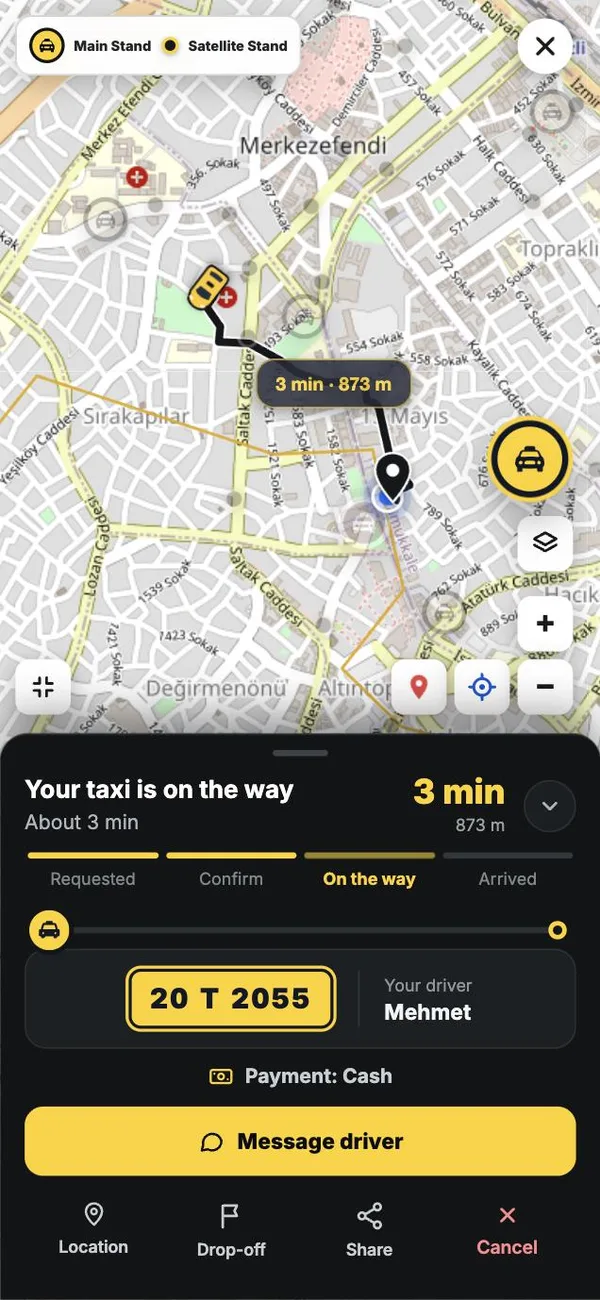
WHAT YOU CAN DO
Nearest stand, automaticallyThe nearest official taxi stand in Denizli is found from your location; no need to look up phone numbers.
Call with one tapTap Call a Taxi; your request goes to the stand and the next available taxi.
See where your taxi is, liveSee the plate, the driver's name and how many minutes away your taxi is on the map.
Message the driverMessage the driver in the app to describe where you are.
Share your tripLet someone close to you follow your trip live with a link; peace of mind on late rides.
Cash or cardChoose how you pay when calling; if you want to pay by card, a taxi with a card machine comes.
No more phoning taxi stands.
HOW TO USE
Step by step: calling a taxi is this easy.
First, download the app for free from denizlitaksi.app. Then follow the steps below; the yellow ring shows where to tap.
-
1Turn on your locationTap "Taxi Near Me" and allow location access. The nearest official taxi stand is found automatically.

-
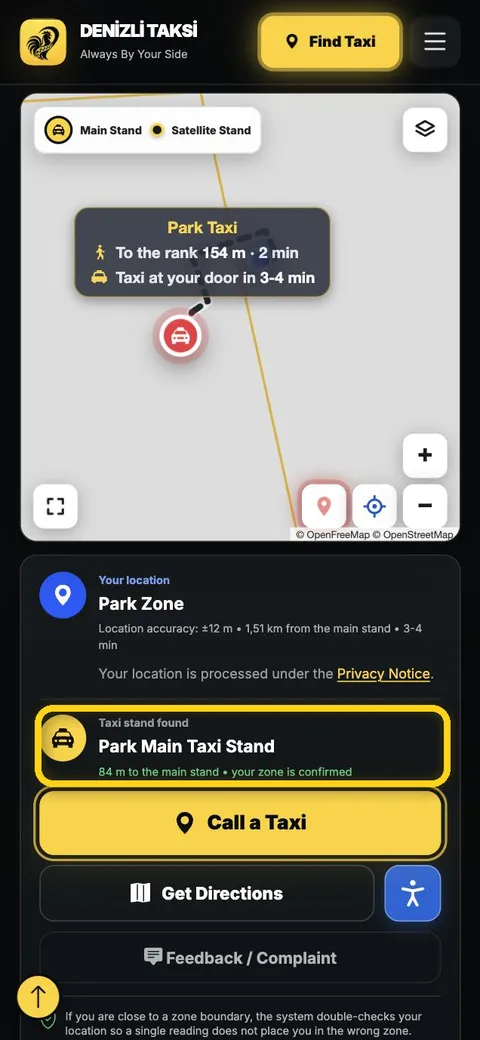
2Nearest stand foundYou see the stand's name and how far it is. Tap the yellow "Call a Taxi" button.
-
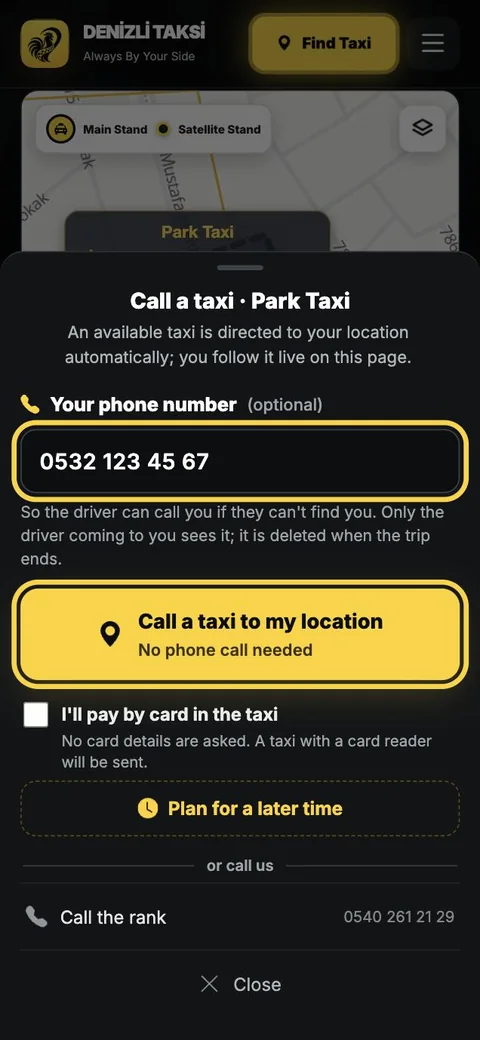
3Call with your locationTap "Call a taxi to my location"; no phone call needed. If you like, write your phone number above it (optional): only the driver coming to you sees it, so they can call you if they can't find you, and it is deleted when the trip ends. If you will pay by card, tick the box below and a taxi with a card machine comes.
-
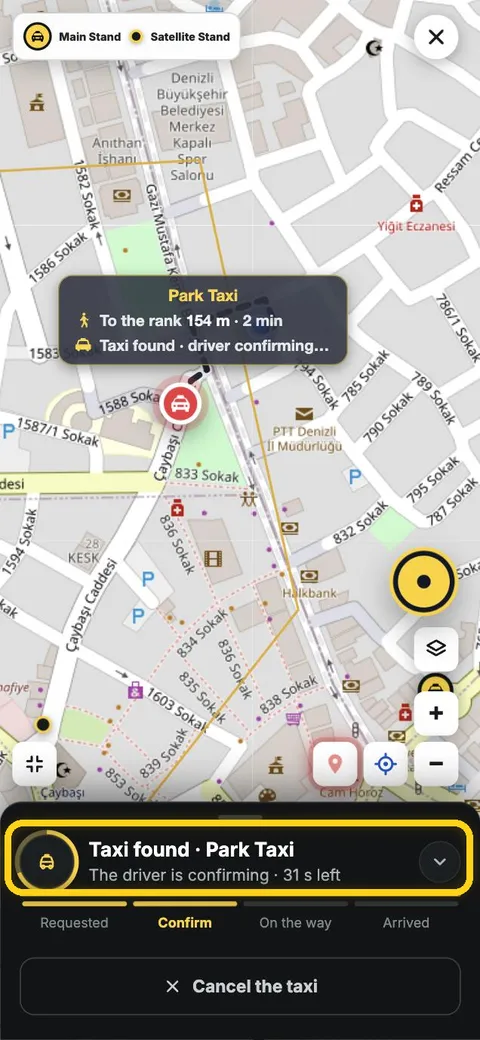
4The driver confirms"Taxi found" appears and the ring counts down. The driver accepts within seconds; if not, the next taxi is asked.
-
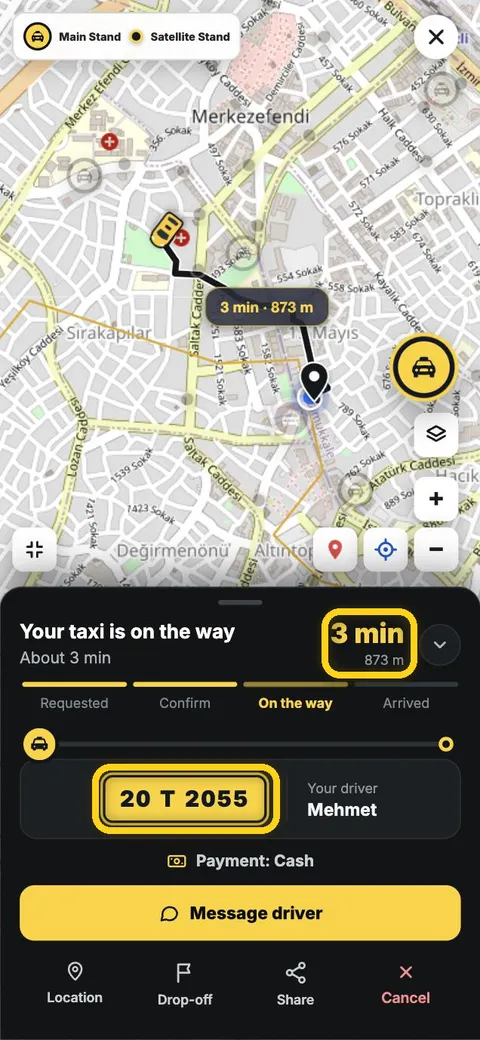
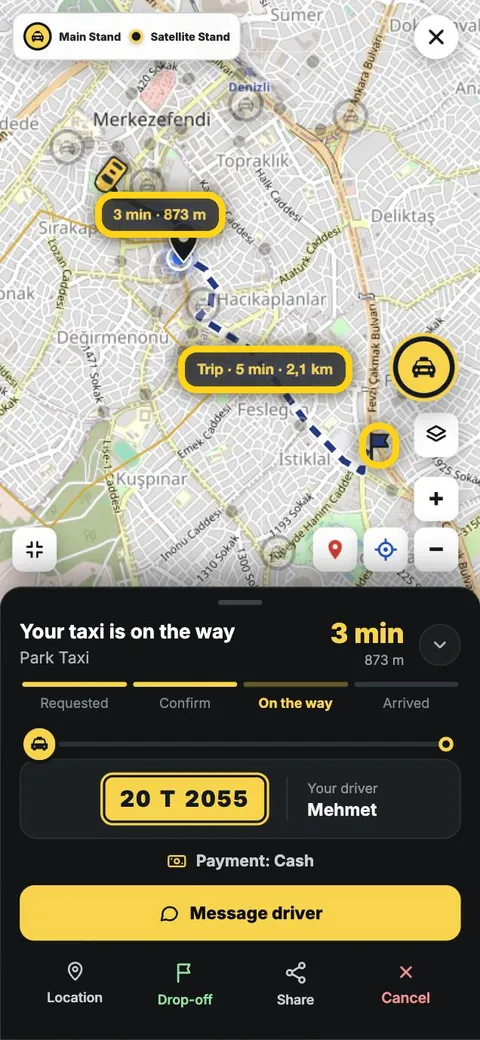
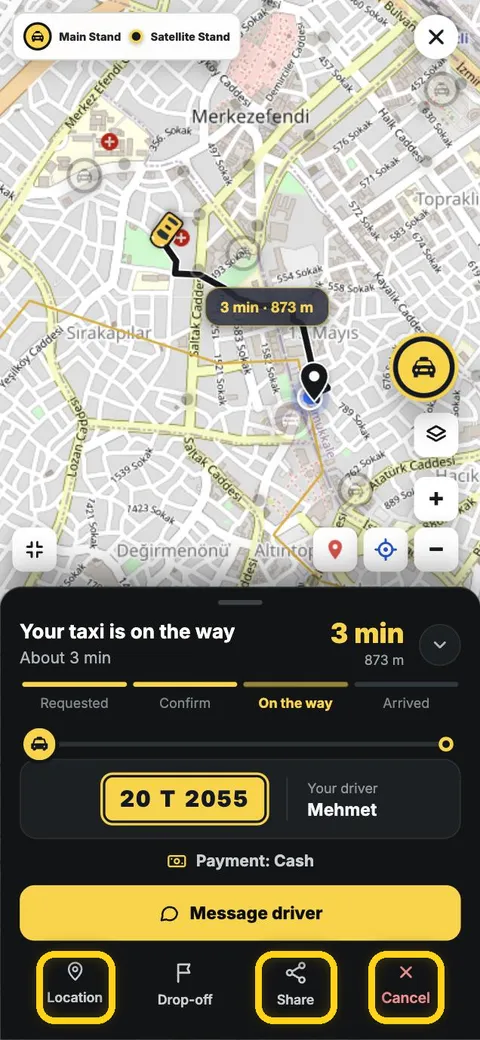
5Your taxi is on the wayYou see the plate, the driver's name and how many minutes away the taxi is. It moves towards you on the map.
-
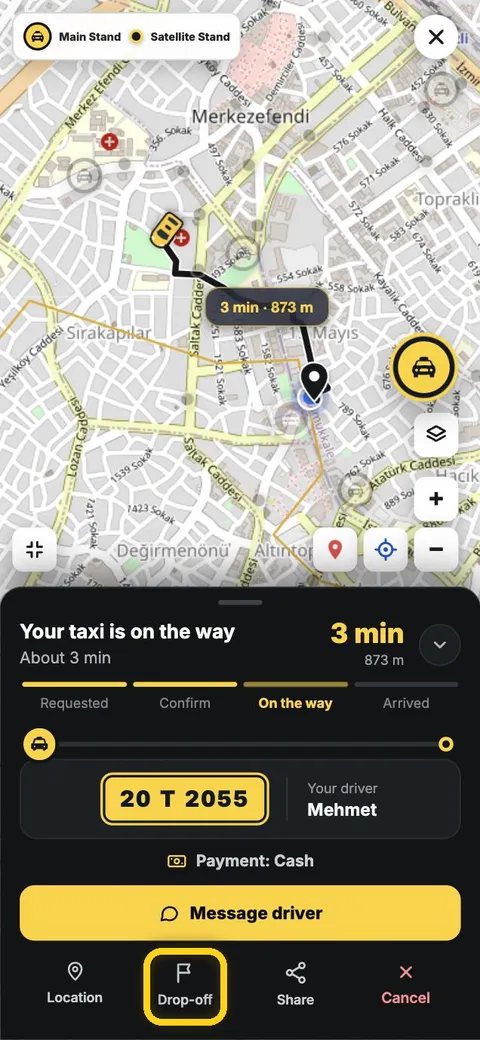
6Destination: tap "Drop-off"While the taxi is on its way, tap the "Drop-off" button at the bottom. The driver knows where you are going before you get in.
-
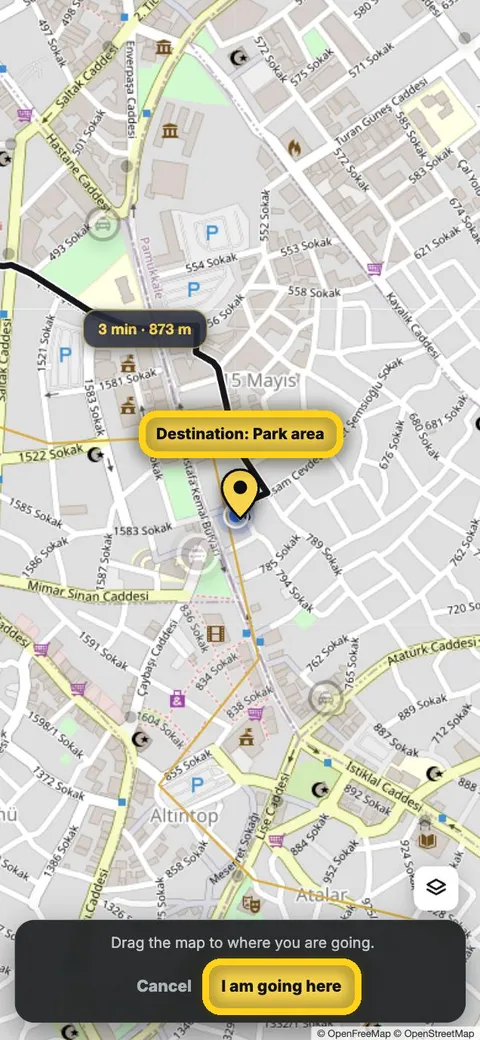
7Pick the place on the mapMove the map until the yellow pin is on your destination, then tap "I am going here".
-
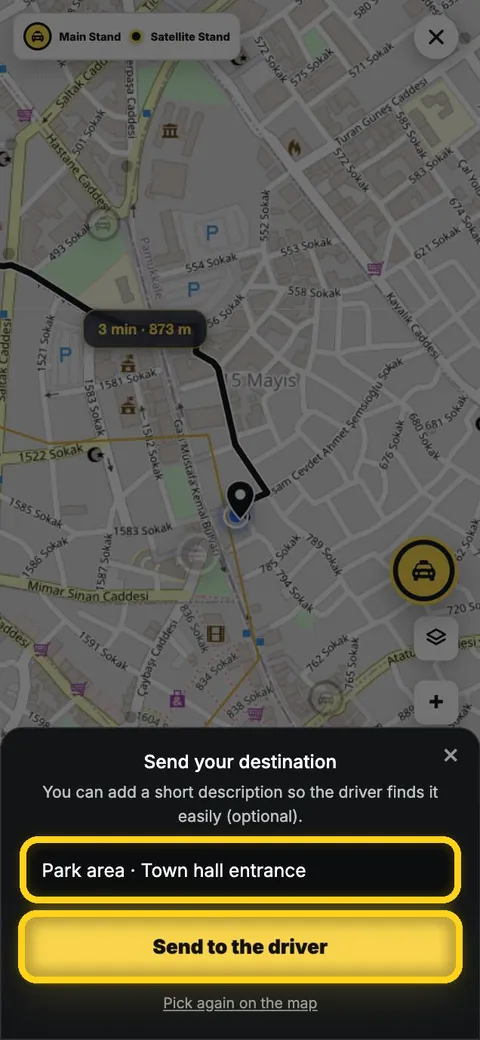
8Add a note and sendIf you like, add a short note (for example "Town hall entrance") and tap "Send to the driver". The place appears on the driver's screen.
-
9Pickup and trip on the mapThe taxi's way to you is a dark line; your trip to the destination is a dashed navy line ending in a flag. Both show time and distance. The fare is set by the taximeter.
-
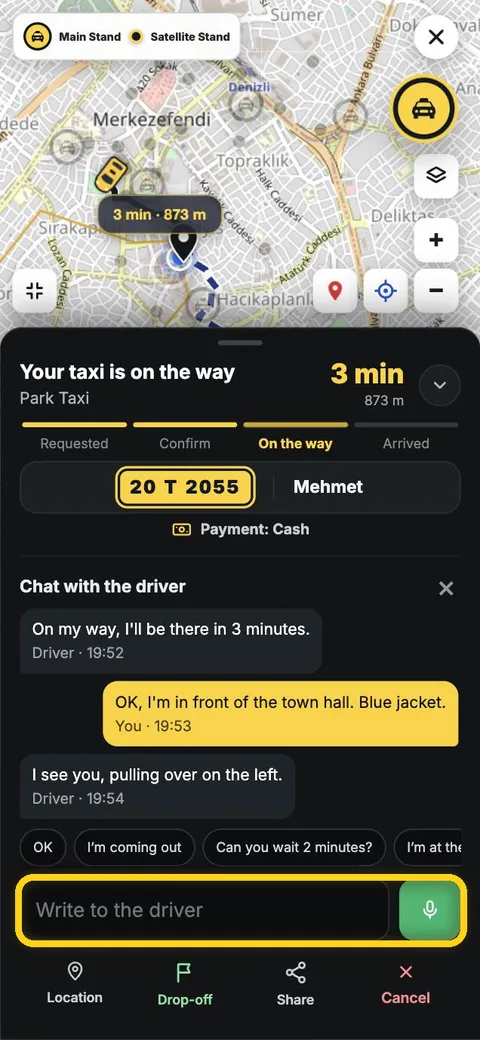
10Message the driverTap "Message driver". Use quick replies ("I’m coming out", "Can you wait 2 minutes?"), type your own, or send a voice message.
-
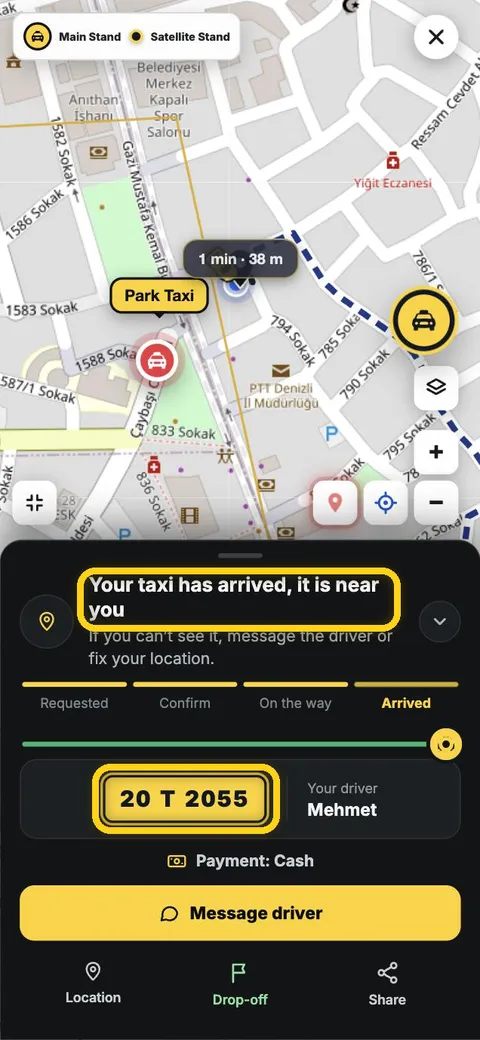
11Your taxi has arrivedWhen "Your taxi has arrived" appears, check the plate: if it matches, get in. If you can't see it, message the driver.
-
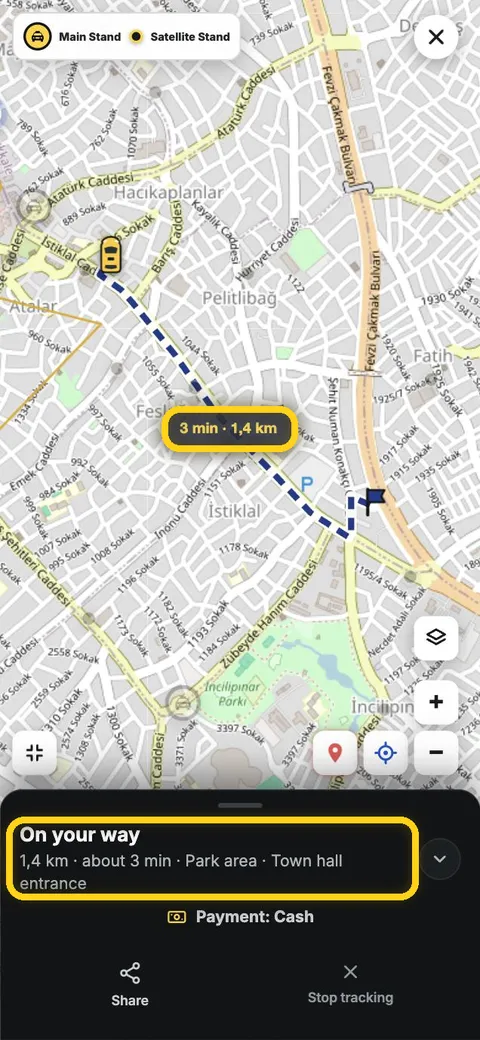
12On your trip: the way aheadOnce the driver picks you up, the screen stays open in "On your way" view, showing the route left to your destination and how many km and minutes remain. It appears if you sent your destination.
-
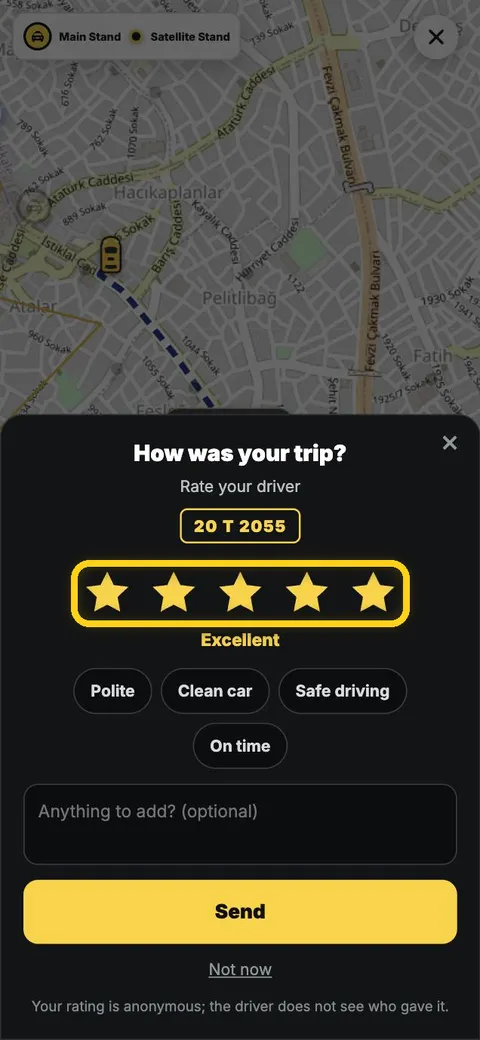
13Rate your driverAfter the trip, give 1–5 stars. Your rating is anonymous; the driver does not see who gave it.
Good to know
How is your taxi chosen?
- Your stand: First, one of the available taxis at the stand nearest you is chosen, by that stand's rule (next in line or closest to you).
- A returning taxi: If an empty taxi heading back from a drop-off is near you, it may get the job.
- Neighbouring stand: If your stand has no available taxi, one comes from a nearby stand that is not busy.
- If a driver declines: A driver who declines or does not answer within 45 seconds is skipped, and the next taxi is asked.
- If no taxi is found: Your request keeps searching for a few minutes; if the taxi breaks down, a new one is arranged for you.
-
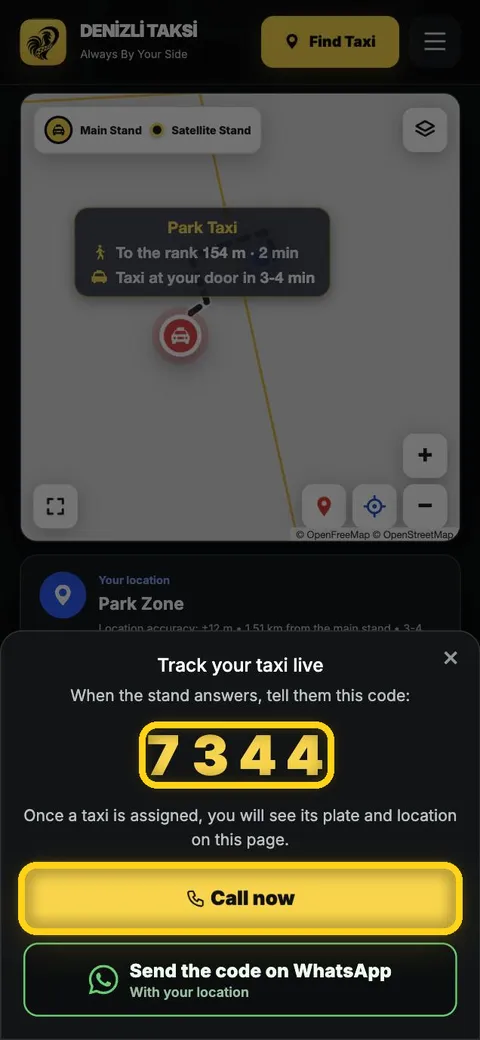
Calling by phone and tracking codeAt some stands you see "Call the Taxi" instead of "Call a Taxi". Tapping it shows a 4-digit code: tell it to the stand when they answer, or send it on WhatsApp. Once the stand enters it, you track your taxi live in the same way.
-
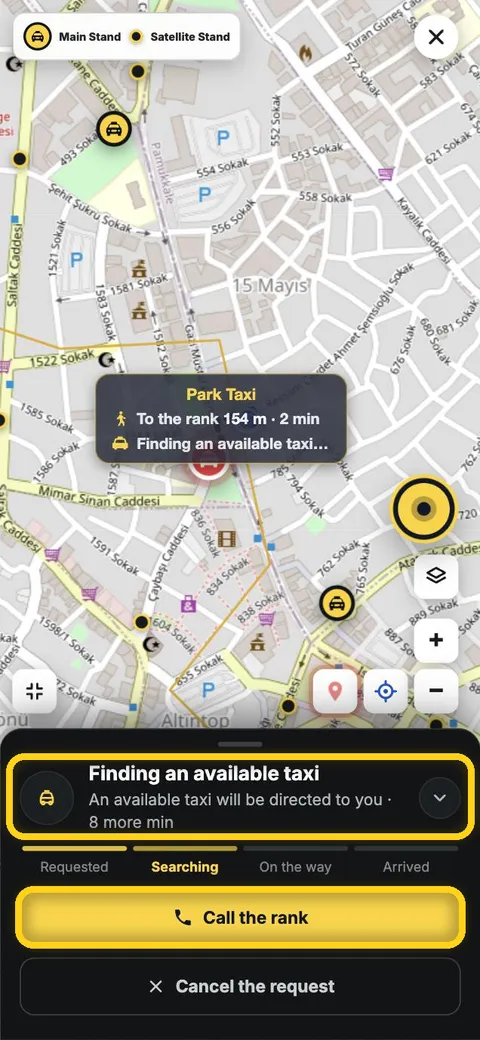
Busy stand: "Finding an available taxi"If no taxi is free right now, your request is not lost; it keeps searching for a few minutes and goes to the first taxi that becomes free. If you don't want to wait, tap "Call the rank" or cancel.
-
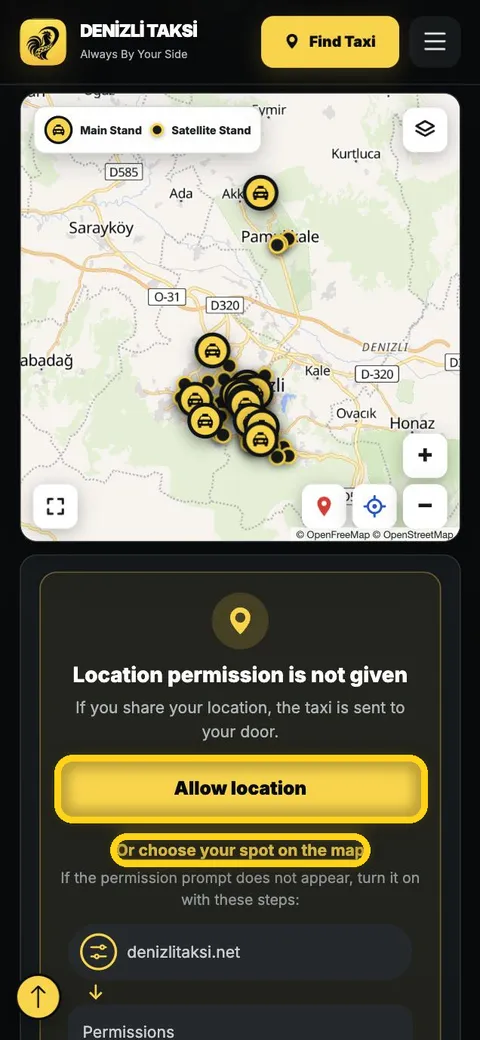
No location permissionTap "Allow location". If you prefer not to, use "Or choose your spot on the map" to show where you are; the taxi comes there.
-
Bottom buttons: Location · Share · Cancel"Location": fix your position if the taxi can't find you. "Share": send the link to someone so they can follow the taxi live. "Cancel": cancel the request if you change your mind.
-
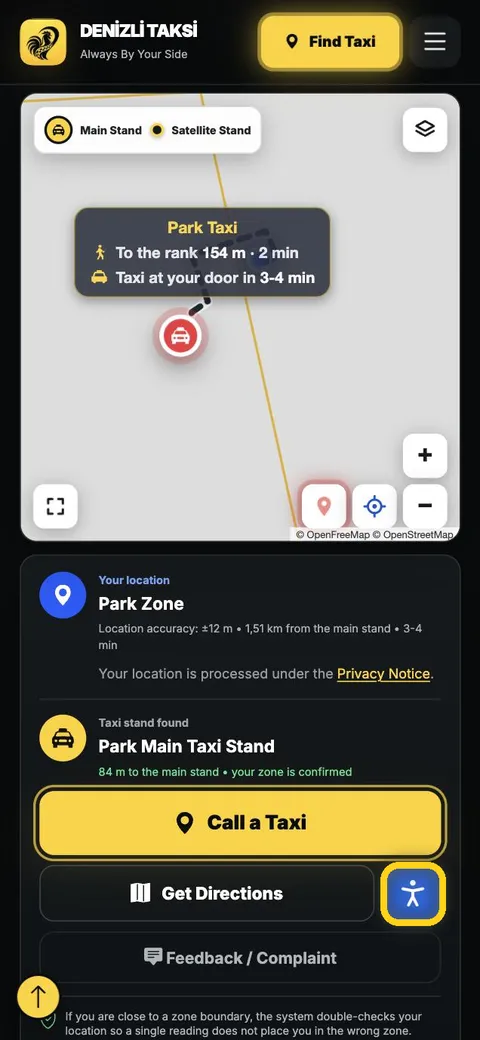
Passengers with disabilities: blue buttonWhen a stand is found, tap the blue button next to "Get Directions". A ready WhatsApp message goes to the stand saying you are a passenger with a disability, that you want written replies and that the driver should wait by the taxi; your location is included.
-
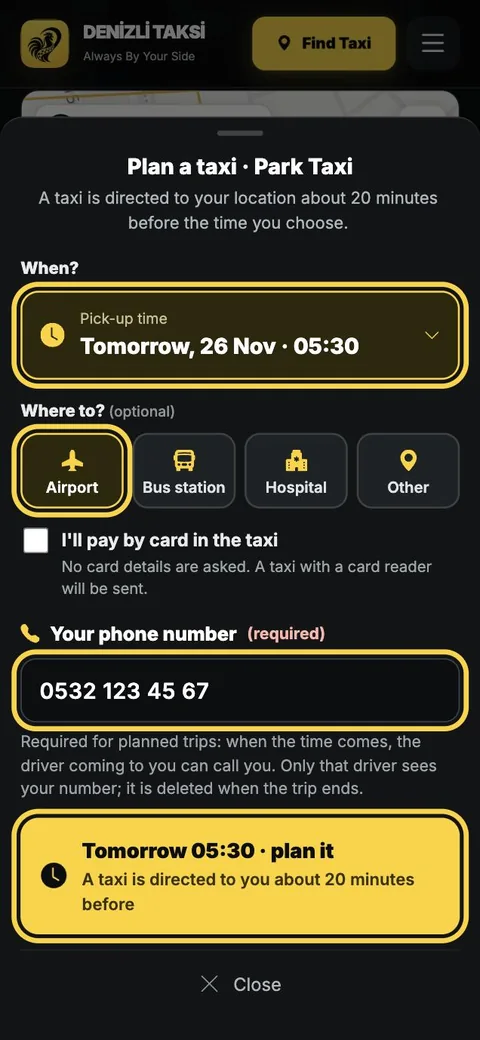
Plan a taxi for laterIn the call window tap "Plan for a later time". Tap "When?" and pick the day, hour and minute (from 30 minutes up to 15 days ahead). Choose where you are going if you like; with "Other" the map opens and you pick the place. A phone number is required. Tap "… plan it".
-
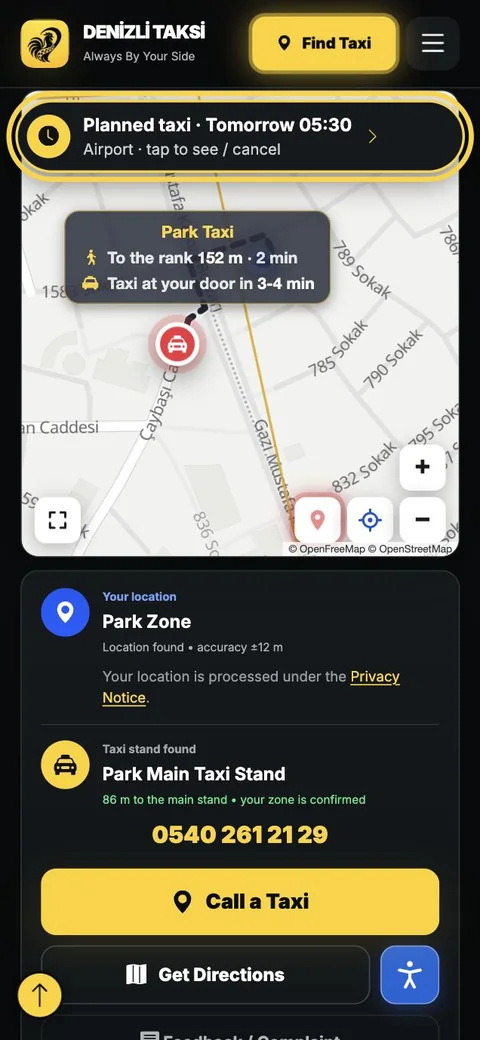
Your planned tripA yellow bubble shows your plan at the top of the page; it stays even if you close the page. Tap it to see, share or cancel the plan. About 20 minutes before the time a taxi is directed to you: the bubble turns green; tap it to follow the taxi live and message the driver.
"Send your destination", card payment and automatic calling are not available at every stand; where they are off, those buttons do not appear. Plates, drivers and places in the screens are examples.
FREQUENTLY ASKED QUESTIONS
Questions about the app.
Is the Denizli Taxi app free?
Yes. The app is free on the App Store and Google Play; no sign-up or card details are needed. The fare is set by the taximeter.
Is the taxi I call from the app an official taxi?
Yes. Requests only go to registered taxi stands in Denizli and their yellow taxis with "20 T" plates and a taximeter.
How do I see where my taxi is?
Once a driver accepts, the map shows the taxi's position, plate, the driver's name and estimated arrival time, updating as it gets closer.
Which phones does it work on?
It works on iPhone (App Store) and Android (Google Play). You can also find and call the nearest stand on this website without the app.
Where in Denizli can I use it?
In central Denizli and its districts, wherever the taxi stands in the app serve, including Pamukkale.
How do I share my trip with someone?
When the taxi is on its way, tap "Share"; whoever opens your link sees the taxi's position and plate live.
Download Denizli Taxi now.
Your next taxi, with one tap and no phone numbers.